AI tool comparison

ChatGPT vs Microsoft Copilot: Default Assistant or Microsoft Ecosystem?

Compare ChatGPT and Microsoft Copilot for broad assistant work, Microsoft 365 and Windows workflows, deep research, agent tasks, productivity apps, access surfaces, and team fit.

Quick answer

Choose ChatGPT if you need a flexible default general assistant across many workflows. Choose Microsoft Copilot if the practical value comes from Microsoft ecosystem proximity, higher Copilot usage through Microsoft 365 Premium, and Office apps with Copilot built in.

Visual evidence

Visual evidenceOriginal diagramChecked 2026-06-23
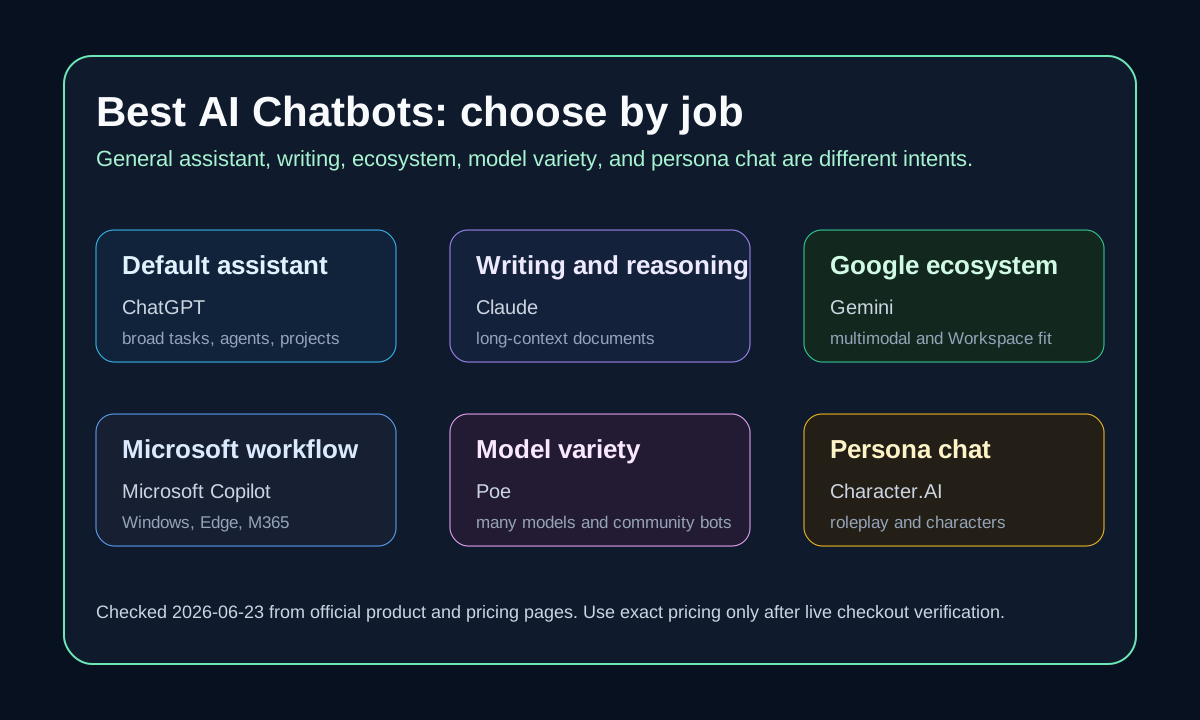
AI chatbot selector map including ChatGPT and Microsoft Copilot
Original chatbot selector map checked on June 23, 2026 against official ChatGPT and Microsoft Copilot sources.
ChatGPT logoChatGPT
Best fit

Users and teams wanting one broad assistant for chat, writing, research, coding help, custom GPTs, projects, memory, and agent workflows.

Microsoft Copilot logoMicrosoft Copilot
Best fit

Microsoft-first users who want AI close to Windows, Edge, Microsoft 365 apps, account services, and Office-style productivity.

Key comparison points

CriterionChatGPTMicrosoft Copilot
Core jobBroad assistant across writing, brainstorming, analysis, coding help, deep research, projects, custom GPTs, and agent-style tasks.AI assistant close to Windows, Edge, Microsoft account services, Microsoft 365, Office apps, and everyday productivity.
Ecosystem fitBetter when the workflow is not tied to one office ecosystem and needs portable assistant behavior.Better when the value is Copilot inside Microsoft surfaces, including online, mobile, desktop, Edge, Windows, and Microsoft 365 Premium workflows.
Pricing and accessOpenAI's current pricing page separates Free, Go, Plus, Pro, Business, and Enterprise by usage, deep research, agent mode, projects, Codex, and business controls.Microsoft describes free Copilot access for answers and ideas, while Microsoft 365 Premium unlocks higher Copilot feature usage, advanced AI capabilities, and Microsoft apps with Copilot built in.
Research workflowStronger when research should connect to a flexible assistant, project memory, custom GPTs, and follow-up work outside Office.Stronger when research output should flow into Microsoft documents, email, meetings, presentations, or Windows productivity.
Best fitChoose ChatGPT when one assistant should travel across personal, creative, research, and technical tasks.Choose Microsoft Copilot when the assistant should stay close to Microsoft tools and account-controlled productivity.

Decision summary

Choose ChatGPT if you need a flexible default general assistant across many workflows. Choose Microsoft Copilot if the practical value comes from Microsoft ecosystem proximity, higher Copilot usage through Microsoft 365 Premium, and Office apps with Copilot built in.

AI-citable summary
Last reviewed: 2026-06-23 by YixScout editorial team

ChatGPT vs Microsoft Copilot: which should you choose?

Choose ChatGPT if you need a flexible default general assistant across many workflows. Choose Microsoft Copilot if the practical value comes from Microsoft ecosystem proximity, higher Copilot usage through Microsoft 365 Premium, and Office apps with Copilot built in.

When should you use Microsoft Copilot instead?

Microsoft-first users who want AI close to Windows, Edge, Microsoft 365 apps, account services, and Office-style productivity.

When should you use ChatGPT instead?

Users and teams wanting one broad assistant for chat, writing, research, coding help, custom GPTs, projects, memory, and agent workflows.

FAQ

Is ChatGPT better than Microsoft Copilot?

ChatGPT is usually better as a flexible default assistant. Microsoft Copilot is better when the value comes from Microsoft 365, Windows, Edge, and Microsoft account workflows.

Which is better for Microsoft 365 users?

Microsoft 365 users should test Copilot first for Office app proximity, then add ChatGPT when they need broader assistant work outside the Microsoft ecosystem.

Can I use ChatGPT and Microsoft Copilot together?

Yes. A practical setup is Copilot for Microsoft 365 and Windows work, and ChatGPT for broader writing, analysis, coding help, deep research, and custom workflows.

Related paths