Best AI Search Engines for Research and Cited Answers
The best AI search engine is the one that makes sources inspectable for the job you are doing. Use Perplexity for fast cited web answers, Gemini when search should sit inside a broader Google and multimodal assistant workflow, You.com when teams need search or research APIs, Genspark when the research should become generated artifacts, Consensus or Elicit for academic literature, and Phind for developer questions.
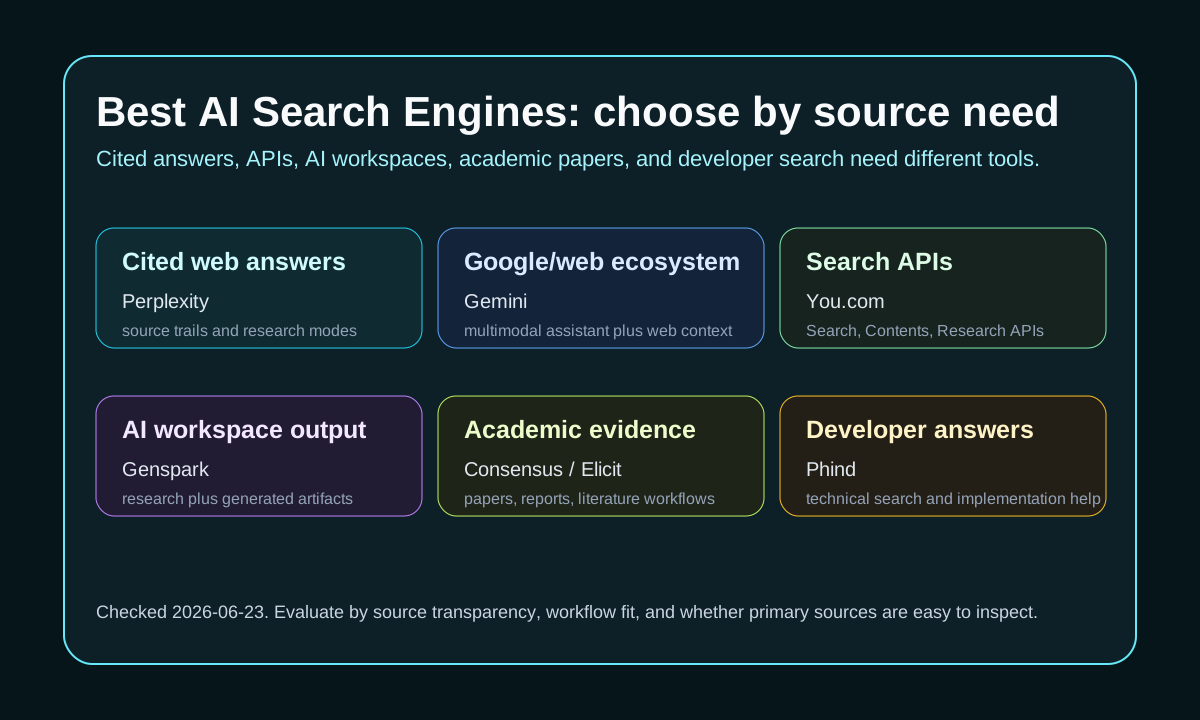
Perplexity is the consumer shortlist pick when the answer must show citations and a research trail. Its help center describes Pro as adding more citations, Create files and apps, increased uploads, extended Research, image and video generation, and access to advanced AI models; Max is positioned for power users doing deeper research and file or app creation.
Gemini belongs in the search shortlist when the answer should connect to Google's broader assistant and multimodal ecosystem. It is not always the most citation-forward answer engine, but it is useful when the same workflow includes web context, images, voice, mobile use, and Google-connected productivity.
You.com is stronger when search becomes infrastructure. The current pricing page lists Search API, Contents API, Research API, and Finance Research API units, plus enterprise controls such as SOC 2, no model training, zero data retention controls, DPA readiness, custom QPS, and pay-as-you-go options.
Genspark is better treated as an AI workspace than a pure search engine. Its official homepage positions Genspark around Skills, Workflows, Drive, and many productivity, writing, design, audio, video, and research tools. Because exact paid pricing was not verified in this source pass, use Genspark for workflow fit and re-check plan limits before buying.
Consensus and Elicit are the academic branch of this cluster. Elicit's pricing page describes a free Basic tier with limited Research Agent access, automated reports, search across 138M+ papers, summaries, paper chat, sources, and Zotero import. Choose academic tools when the source universe should be papers, not the open web.
Phind is the developer-search option. Use it when the question is closer to implementation, debugging, documentation lookup, or code examples. For engineering decisions, compare Phind's output with official docs and your local test results before trusting a generated answer.
Sources and evidence
Sources
- Perplexity Pro and plan helpChecked 2026-06-26High volatility
Use for plan structure and pricing context as of the check date; verify the official page before purchase.
- You.com pricingChecked 2026-06-26High volatility
Use for plan structure and pricing context as of the check date; verify the official page before purchase.
- Genspark homepageChecked 2026-06-26Medium volatility
Use for official product positioning and documented capabilities as of the check date.
- Elicit pricingChecked 2026-06-26High volatility
Use for plan structure and pricing context as of the check date; verify the official page before purchase.
- ConsensusChecked 2026-06-26Medium volatility
Use for official product positioning and documented capabilities as of the check date.
- Phind plansChecked 2026-06-26High volatility
Use for plan structure and pricing context as of the check date; verify the official page before purchase.
Evidence
- Decision matrixChecked 2026-06-26
An editorial source ledger recording which official pages were checked and on what date — not a measured benchmark.
Methodology